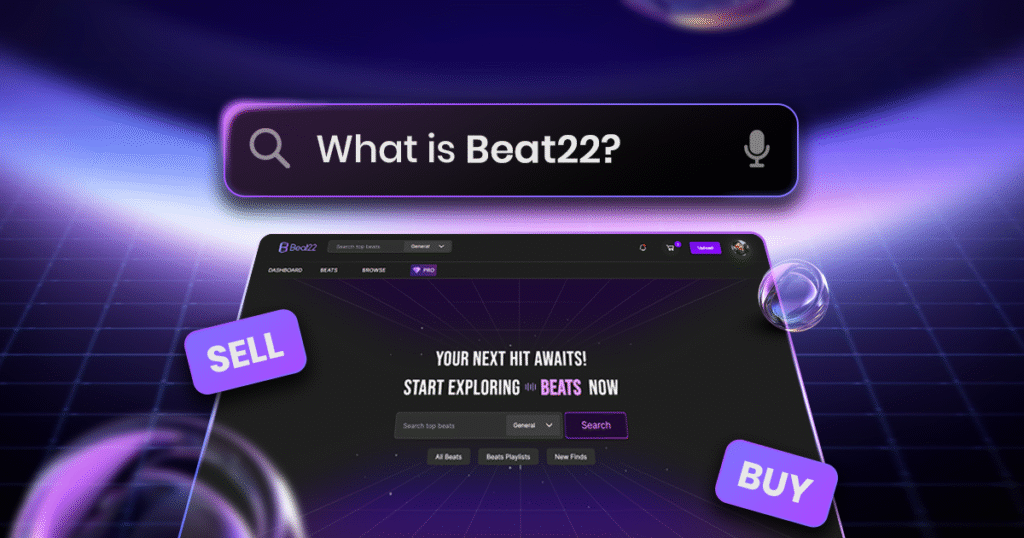
Beat22 Campaigns help producers promote their best beats to more artists across the platform. By running a campaign, your selected beats receive additional visibility, making it easier for the right buyers to discover them.
This guide walks you through the complete process of creating your first Beat22 Campaign.
Step 1: Open the Campaign Dashboard
Log in to your Beat22 account.
On the top-right corner of the screen, click the  icon.
icon.
From the dropdown menu, click Create Campaign.
You will now enter the campaign creation flow, which consists of three simple sections:
- Campaign Basics
- Select Items
- Review & Launch
Step 2: Campaign Basics
This is where you configure your campaign settings.
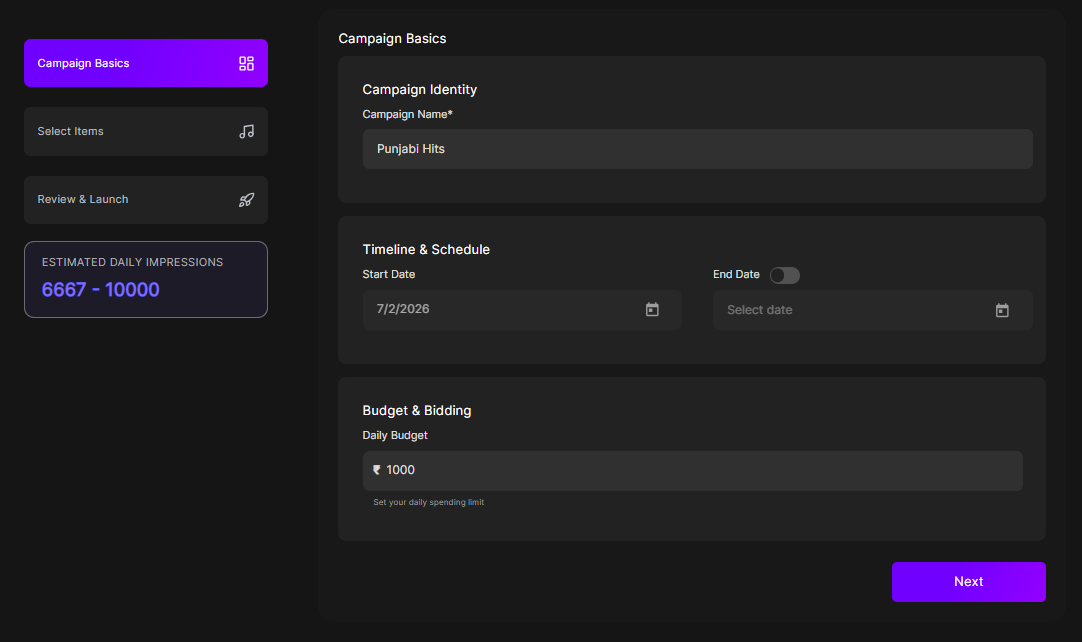
Campaign Name
Enter a name for your campaign.
You can choose any name that helps you identify the campaign later.
For example:
- Punjabi Beats Promotion
- July Campaign
- R&B Collection
- Weekend Boost
The campaign name is only for your reference.
Timeline & Schedule
Your campaign starts immediately after launch.
Simply choose the end date by selecting a date from the calendar.
Your campaign will automatically stop once the selected end date is reached.
Budget & Bidding
Next, choose your daily budget.
The minimum campaign budget is ₹100 per day.
Once you enter your budget, Beat22 will instantly display the estimated daily impressions your campaign is likely to receive.
This gives you an idea of how many artists your promoted beats may reach each day.
After reviewing your campaign settings, click Next.
Step 3: Select Items
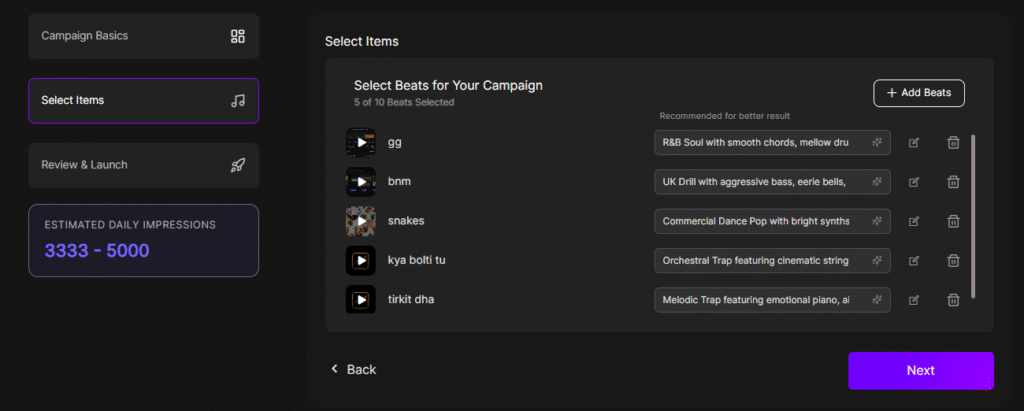
Now it’s time to choose the beats you want to promote.
Select the beats that you believe deserve more visibility.
These are the beats that Beat22 will show to more relevant buyers through your campaign.
You can select up to 10 beats in a single campaign.
Once you’ve finished selecting your beats, click Next.
Step 4: Review & Launch
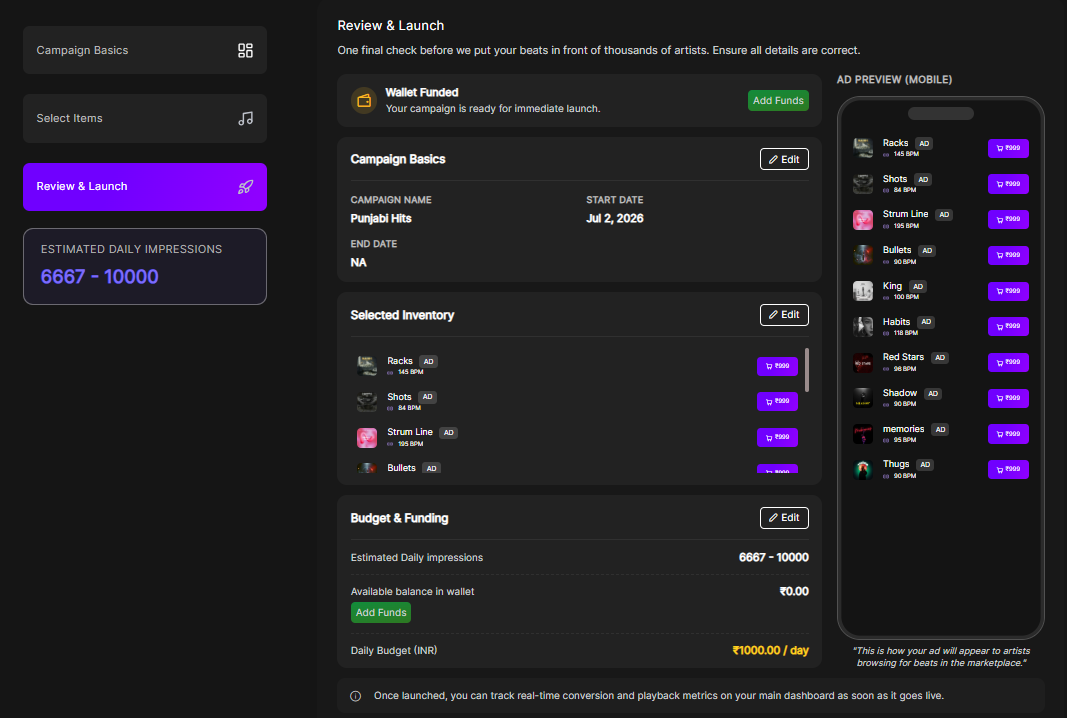
Before your campaign goes live, you’ll see a complete summary of everything you’ve selected.
Review:
- Campaign Name
- Campaign Duration
- Daily Budget
- Selected Beats
This is your final opportunity to make any changes before launching your campaign.
We recommend reviewing every detail carefully.
Add Campaign Funds
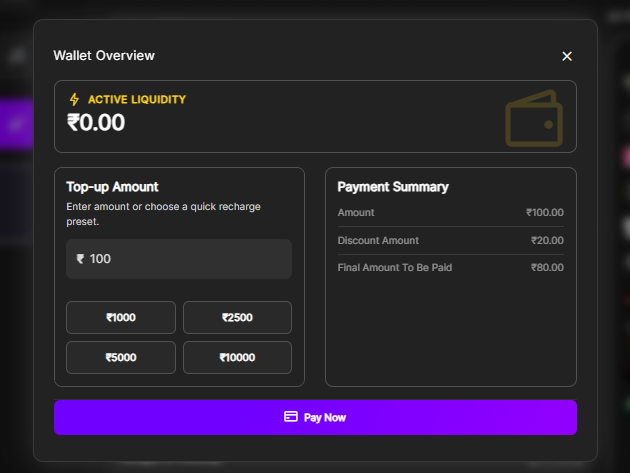
If your wallet balance is insufficient, click Add Funds.
This will open your Beat22 Wallet, where you can add funds using the available payment methods.
The wallet balance is used to run your campaigns.
Launch Your Campaign
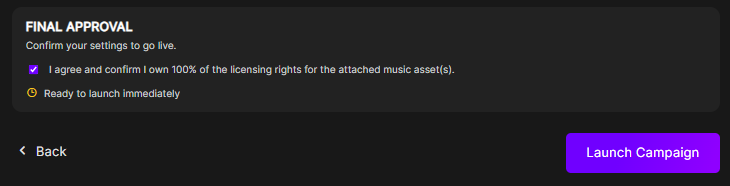
Once everything looks correct:
- Approve the campaign.
- Click Launch Campaign.
Your Beat22 Campaign will immediately become active.
Track Your Campaign Performance
After launching your campaign, you can monitor its performance in real time.
Track important metrics such as:
- Impressions
- Reach
- Clicks
- Conversions
- Revenue
- ROAS (Return On Ad Spent)
These insights help you understand which beats perform best and allow you to optimize future campaigns for even better results.
Tips for Better Campaign Performance
- Promote your strongest beats rather than your entire catalogue.
- Use clear and accurate metadata before running campaigns.
- Start with a modest budget and increase it for campaigns delivering good results.
- Monitor your campaign regularly and make changes whenever needed.
Start Promoting Your Beats
Beat22 Campaigns are designed to help great music reach the right artists.
Instead of waiting for buyers to discover your beats organically, campaigns give you the opportunity to increase visibility, attract more listeners, and generate more sales.
Launch your first Beat22 Campaign today and put your best beats in front of the creators who are looking for them. Start Here.